
Warning: scammers will often try to trick you with a fake website that looks like TaosNet’s webmail. Be particularly cautious of any notice/alert/hoax that tells you to change your password. TaosNet will NEVER send you an email to change your email password!
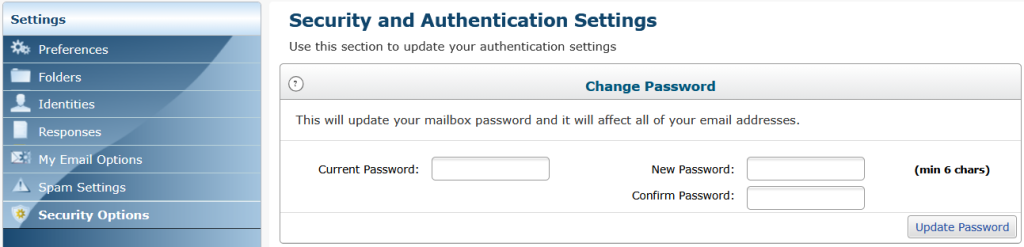
To change your TaosNet email password, you must be logged into TaosNet’s webmail (either WebmailLite or Tuxedo). Then enter Security Options. If you’re not seeing Security Options, look for Settings in the menu or Apps tool. In the Security Options screen, you will need to enter your current email password once and your new email password twice. Then click Update Password.
After you’ve changed your password, if you use an email client like Thunderbird, Apple Mail or Outlook, you’ll also need to update that program with your new password.